





AT A GLANCE
- Use the symptom to choose a starting point: blocked daylight, nearby light or repeated cycling.
- For the Mini wall pack, find the small front sensing window. Cover it in daylight, observe the light, then uncover it to observe the reverse response.
- A response points toward placement or settings. No response needs separate supply, control and fixture checks; it does not prove the photocell failed.
- Before buying parts, identify the fixture and control type. Send the label, sensing-window photo and test result.
On this page
A dusk-to-dawn light that stays on during the day may have a shaded sensor. A light that fails to come on at night may have a different problem. Start at the small window that senses daylight before deciding the photocell needs replacement.
To test a photocell from the outside, cover its sensing window in daylight, observe the light, then remove the cover and observe the reverse response. Keep the conditions steady; a quick wave of your hand can miss a delayed response.
Let the symptom narrow the search
On during the day
Look for shade, dirt or an object blocking daylight at the sensor. Also establish whether the light is in an override mode.
Off after dark
Look for nearby artificial light reaching the sensor. If the light has no supply or a driver problem, covering the sensor will not restore it.
Repeated on/off cycling
Watch whether the fixture’s own light or a reflection reaches the photocell. The sensor may be responding to that changing light.
Find the sensing window before covering anything
Mini wall pack: the integrated front window
On the GGJIA 30W Mini Wall Pack shown below, the small round window in the upper front housing senses light. The broad ribbed lens below it sends light out. Covering the lamp lens tests a different thing.

Use a cover test to observe the light response
Use an opaque cover over the sensing window of an intact, safely reachable installed light. Keep the normal supply on and the cover steady. Remove it in daylight to observe the reverse change.

Photocells can have different startup and switching delays. The public Mini Wall Pack documents do not specify a response time in seconds, so a fixed ten-second or one-minute deadline cannot diagnose this model. If the response stays unclear, record what you observed and the model label for GGJIA rather than repeatedly cycling power.
Use the result to choose the next step
| What you observe | What it tells you | Next useful step |
|---|---|---|
| On when covered, off after uncovering | The light responds to the daylight change. | Look at shade, dirt, nearby lamps or settings at the installed location. |
| No clear change | The outside test has not isolated the failed part. | Have the supply, control and light checked separately before buying a replacement. |
| Starts correctly, then cycles at night | Light feedback is a possible cause. | Look for the fixture’s light or a reflection reaching the sensing window. |
Nighttime cycling can be a light-feedback problem
The light turns on, its photocell sees that light, and the light turns off. Darkness returns, so it switches on again. A wall, bright sign or nearby fixture can be part of the loop.

Intermatic’s photocontrol cycling guidance identifies nighttime light feedback as a cause. Investigate the position and reflected light before assuming the complete wall pack has failed.
Separate the fixture, sensor and site controls before buying parts
A replaceable plug-in photocell, an integrated sensor and a central site controller are different arrangements. Identify which one you have. A matching-looking cap does not establish the correct voltage, switching rating or connection.
For the Mini Wall Pack, send GGJIA the product label, a photo showing the sensing window and the observed response. For an external control, include its label and socket arrangement. Those details let the replacement discussion focus on the actual part rather than a generic photocell.
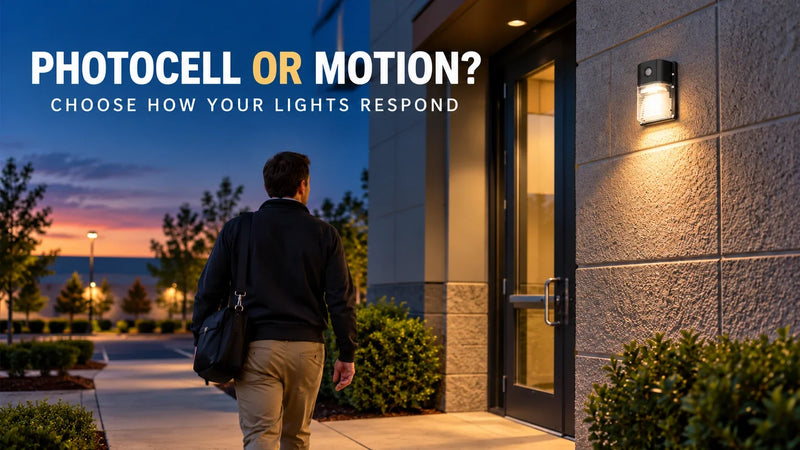
If you are choosing the control behavior for a new light, the photocell vs. motion sensor guide covers that buying decision. Testing an existing light comes first here.

Find the right light for your space.
Explore GGJIA lighting, compare your options, and get help with your next project.
JOIN THE CONVERSATION
Leave a comment
READER DISCUSSION
Discussion
No comments yet. Be the first to share your thoughts.