





AT A GLANCE
See what a parking lot photometric plan should show, what information to provide, and how to review light levels, uniformity and property edges before choosing your lighting layout.
On this page
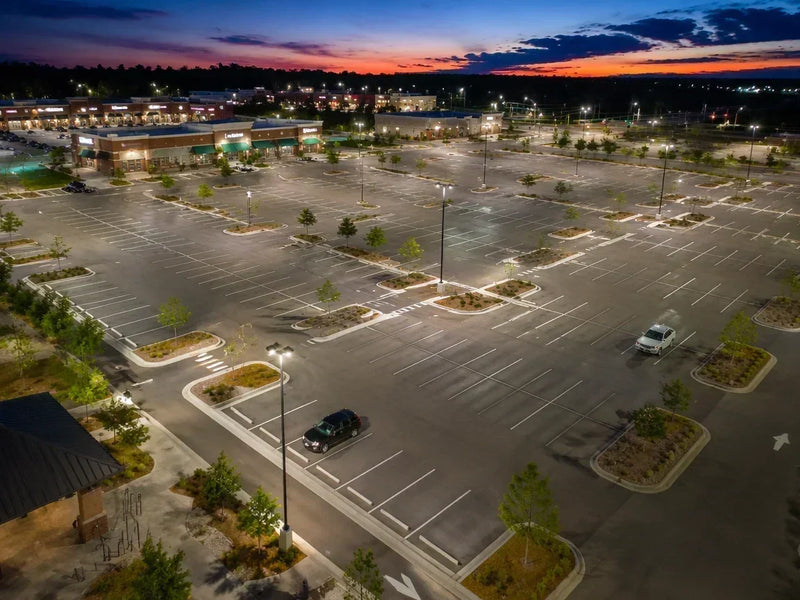
A parking lot photometric layout helps you check where the light will land before you buy fixtures or pay for installation. A lumen rating tells you how much light a fixture produces, but not whether the spaces between poles or the walk to the entrance will be bright enough. Finding those gaps on a plan gives you a chance to change the arrangement before the poles and wiring are in place.
The plan combines a drawing of your site, predicted light levels across the areas people use, and a fixture schedule identifying the lights, mounting heights and aiming. It helps you see whether the proposed arrangement meets the project's lighting criteria and where it needs adjustment.
You do not need to become a lighting designer to review one. Follow these seven steps to prepare the right information, understand the results and spot questions worth resolving before installation.
Step 1: Identify the Requirements for Your Site
Start with the project address and how the lot is used. An office lot that empties after closing has a different job from a shopping center with customers crossing drive aisles after dark. Mark the parking areas, entrances and walking routes that need assessment, then establish the applicable light levels, uniformity limits and property-line restrictions.
Foot-candles, or fc, describe light arriving at a surface; one foot-candle is one lumen per square foot. Lumens describe the light a fixture emits. A layout connects that output to the places you actually need illuminated.
ANSI/IES RP-8-25, Lighting Roadway and Parking Facilities is the current IES recommended practice covering roadway and parking-facility lighting. It provides design guidance; for your submission, use the requirements and edition adopted or specified by the local reviewing authority and the project. Older documents may still refer to IES RP-20, Lighting for Parking Facilities, which was incorporated into that broader guidance.
A Concrete Example: Minimums and Maximums Mean Different Things
Madison, Wisconsin, publishes these limits for parking and pedestrian areas on commercial or mixed-use sites. They illustrate how a local review can check both too little and too much light:
| Activity level | Minimum on pavement | Maximum average on pavement | Maximum average-to-minimum ratio |
|---|---|---|---|
| Low | 0.2 fc | 1.5 fc | 5:1 |
| Medium | 0.4 fc | 2.5 fc | 5:1 |
| High | 0.6 fc | 3.75 fc | 5:1 |
The maximum average is a ceiling, not a brightness target. These values are not nationwide requirements, and Madison treats residential-only sites and other vehicle-use areas separately. For broader scene-by-scene planning, see our parking lot lighting requirements by property type.
Step 2: Prepare the Site Information
A drawing is more useful when it shows how people move through the property, not just its outer dimensions. Include the route from a parked car to the door, the driveway where vehicles enter, and neighboring windows or properties that could receive unwanted light.
Gather these items before requesting a layout:
- Location and use: project address, property type, operating hours and any lighting criteria supplied by the reviewer.
- A scaled site plan: dimensions, buildings, parking rows, drive aisles, entrances, sidewalks and property boundaries.
- Existing lighting: pole positions, fixture mounting heights, lights staying in service and any proposed replacements.
- Obstructions and sensitive edges: trees, canopies, walls, loading areas and adjacent residential uses.
- Photos and problem locations: identify where staff or customers have trouble seeing; include night photos as context, not as light-meter readings.
If you do not have a CAD file, start with a sketch, photos and known dimensions so the designer can identify what is missing. A permit submission may require a more detailed plan.

Step 3: Match the Layout to the Actual Fixture
The proposed model and its photometric file must match. A fixture's IES file describes its measured light distribution for use in calculation software. That file is different from an IES recommended-practice document: one represents a particular luminaire; the other provides lighting guidance.
Two fixtures with the same wattage and lumen output can send different amounts of light toward the next parking row. Before accepting a simulation, match the fixture schedule to the proposed model, optical distribution and output setting. Include any shields or other accessories that change the light pattern.
Use Total Lumens for an Early Estimate
A rough light-budget estimate can help you shortlist a fixture quantity. It does not show where the darkest point will be.
Estimated fixture lumens needed = area in square feet × assumed maintained average fc ÷ (CU × LLF).
CU, the coefficient of utilization, represents the fraction of fixture output assumed to reach the assessed area. LLF, the light loss factor, allows for reduced output from factors such as aging and dirt. Both need project-specific justification.
For a teaching example, assume a 200 ft × 300 ft lot, a 2.4 fc maintained average, CU = 0.50 and LLF = 0.75. These are example inputs, not a required retail target or default loss factors.
60,000 ft² × 2.4 fc ÷ (0.50 × 0.75) = 384,000 lumens.
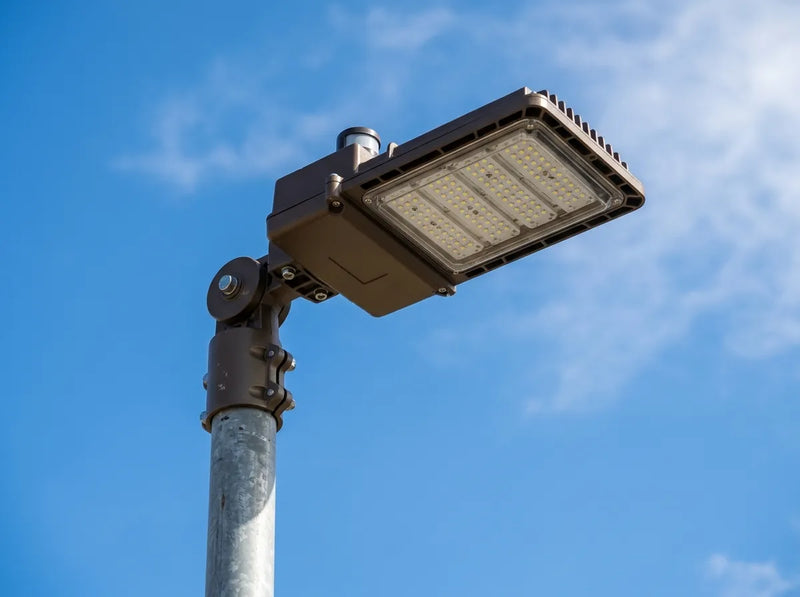
The GGJIA 200W adjustable-arm parking lot light has a published output of 28,000 lumens. Using that output in this estimate gives 384,000 ÷ 28,000 = 13.71, rounded up to 14 fixtures as a candidate to test.
That is a starting quantity, not an instruction to buy 14 lights or install 14 poles. Multiple heads may share a pole, and the point-by-point layout determines whether the proposed arrangement meets the project's light levels and distribution needs.
Step 4: Choose Mounting Height and Pole Spacing Together
If your existing poles are usable, start by testing fixtures at those positions and heights. You may be able to improve coverage through a better-matched distribution, aiming or output before paying for new foundations and trenching. Have the mounting and electrical suitability checked separately.
For new poles, compare positions that serve the parking rows and walking routes without obstructing circulation. Perimeter poles generally need to send useful light into the lot; a central island may need coverage on more than one side. Buildings and trees can interrupt either pattern.
A 25-ft mounting height with 100-ft spacing has a spacing-to-height ratio of 4:1. This describes a candidate arrangement; it does not establish its foot-candles or make four times the height a universal spacing rule. Test the actual fixture distribution at those distances.
A higher pole changes the spread and intensity on the ground. Whether it improves the layout depends on the optics, spacing and aiming—not height alone. Our LED parking lot light selection guide explains the fixture and mounting choices behind that comparison.
Practical order: test existing poles first → compare distribution and aiming → adjust output or positions where the results show a need.
Step 5: Read the Light Levels and Uniformity Results
Start with the area being evaluated, then find its lowest value. A healthy-looking whole-site average can hide a dark stretch between the parking row and the entrance. Make sure the calculation area includes that route and is not mixed with a different area that has different requirements.
On a point-by-point plan, numbers mark predicted illuminance at calculation locations. Locate the lower readings on the drawing, then compare the statistics for that same area with its project criteria.
| Report entry | Example | What it tells you |
|---|---|---|
| Minimum | 0.5 fc | The lowest calculated value among the included points; find its location. |
| Average | 2.0 fc | The average of the included point values, not a guarantee at every space. |
| Maximum | 6.0 fc | The highest calculated value among the included points. |
| Average-to-minimum | 2.0 ÷ 0.5 = 4:1 | How the average compares with the lowest point. |
| Maximum-to-minimum | 6.0 ÷ 0.5 = 12:1 | How the brightest and darkest calculated points compare. |
The same example has a 4:1 average-to-minimum ratio and a 12:1 maximum-to-minimum ratio. They answer different questions. Compare each with the matching project limit; a lower number indicates a more even spread when comparing the same ratio type. If the minimum is zero, a finite ratio cannot be calculated.
Also check whether the results are initial or maintained. Initial calculations describe the starting condition; maintained calculations apply a stated light loss allowance. With an assumed LLF of 0.75, an initial 2.0 fc average becomes 1.5 fc maintained in an otherwise unchanged calculation. Do not apply that factor again to results already labeled maintained.
Quick review: right area → correct units and calculation plane → lowest points → average and maximum → matching uniformity ratio → stated LLF and operating condition.
Step 6: Resolve Dark Areas, Glare and Property-Edge Concerns
If the space beneath a pole is bright but the next row is dark, a higher-wattage version may simply brighten the same patch. Ask which part of the layout changes the light reaching the problem location.
| What the plan or site reveals | Useful next comparison |
|---|---|
| Low readings between poles or along the walking route | Compare distribution, aiming and pole positions; model obstructions before deciding whether more output or another fixture is needed. |
| Strong peaks near poles with much lower readings elsewhere | Compare a different distribution or arrangement, and test lower output where appropriate. |
| Light reaching neighboring property or uncomfortable views of the source | Review aiming, fixture location and suitable optical control; calculate the boundary locations required by the project. |
BUG means Backlight, Uplight and Glare. These ratings describe aspects of a luminaire's light distribution, using the classification framework in IES TM-15, Luminaire Classification System for Outdoor Luminaires. U0 identifies zero uplight in the rated photometric orientation; it does not by itself verify the whole installation. Where a project requires a particular BUG rating, obtain the documentation for the exact model and confirm the installed orientation matches the design.
A property-edge review also needs the required measurement locations, not just a downward-looking picture. Keep exterior building lights and other site fixtures in the model where relevant. If a compatible shield is proposed, include its effect in the calculation rather than assuming the original distribution stays unchanged.
Step 7: Check Controls and the Final Installation
A lot may look satisfactory at closing time and change after its lights dim. Review the lighting state that applies when late-shift staff, cleaners or overnight visitors still use the property.
The GGJIA 200W adjustable-arm parking lot light includes a dusk-to-dawn photocell and supports 0–10V dimming. A photocell handles daylight-based switching; automatic schedules or motion response need suitable additional controls. Dimming compatibility and the driver's operating range should match the controller.

Control savings depend on the starting schedule. In a simple assumed example, changing from 24 hours of daily operation to 12 hours at the same input power halves operating energy. Replacing an already well-scheduled system will not deliver that same saving.
Before installation, confirm the fixture model, quantities, mounting heights, aiming and control settings against the final plan. For permit review, obtain the local submission checklist, including any electrical, structural or professional-signature requirements. A lighting calculation supports that process; it is not the approval itself.
After installation, walk the actual routes at night and note places where people struggle to see. Have illuminance checked with a suitable meter at the specified locations and operating settings, then compare the readings with the project criteria. Use visual observations to locate concerns and measurements to assess light levels.
Before You Order: Bring the Pieces Together
Set the project criteria → gather the site information → match fixtures and test the arrangement → review the results and adjust → confirm controls and verify after installation.
Once the lighting arrangement works, compare its installed cost and operating expenses. Our metal halide-to-LED parking lot conversion ROI guide explains how to evaluate that investment.
GGJIA offers free photometric layouts for any project size. Send your project address, site drawing, existing pole locations and heights, and the areas you want evaluated to support@ggjia-led.com. Include any lighting criteria or submission instructions you have already received so the proposed layout addresses the right questions.
Sources
- Illuminating Engineering Society — Lighting Library Standards Collection
- ANSI — ANSI/IES RP-8-22: Design of Roadway Facility Lighting (explains the incorporation of RP-20; not a source for current project illuminance limits)
- Federal Highway Administration — Lighting System Selection: Luminaire Classification and BUG Ratings (2012 handbook; classification background, not a current local compliance table)
- City of Madison — Outdoor Site and Building Lighting
- Lighting Analysts — AGi32 Calculation Summary Metrics
- Lighting Analysts — Luminaire Light Loss Factors
- U.S. Department of Energy — Guide to FEMP-Designated Parking Lot Lighting (historical design guidance; not a current nationwide code table)
- DarkSky International — Evaluating Near-Horizontal Light Emission from Outdoor Lighting (2026; explains uplight terminology and distribution)
Frequently asked questions
What is a parking lot photometric plan?
What information do I need for a parking lot photometric study?
How many foot-candles does a commercial parking lot need?
What is the difference between average-to-minimum and maximum-to-minimum uniformity?
How far apart should parking lot light poles be?
Can I keep the existing poles when switching to LED?
Does U0 mean a lighting installation is code-compliant?
Does GGJIA provide free parking lot photometric layouts?

Find the right light for your space.
Explore GGJIA lighting, compare your options, and get help with your next project.
JOIN THE CONVERSATION
Leave a comment
READER DISCUSSION
Discussion
No comments yet. Be the first to share your thoughts.