





AT A GLANCE
- Rapid switching in LED drivers and controls can create electrical noise that travels through wiring or couples into wireless receivers.
- The impact can extend from noisy radio reception to unreliable remote controls and marine communications; assess the wireless functions your site relies on.
- Reduce noise at the source, improve its wiring or shielding path, and provide suitable antenna separation. Filters must suit the actual problem.
- Use a repeatable lighting off/on comparison to narrow the source, then trial one remedy with the affected equipment before replacing a whole group.
On this page
The new lights work perfectly, but a radio call becomes hard to hear or a nearby wireless control stops responding. The problem may be electrical noise from the lighting electronics, even when the light itself looks steady.
LED light radio interference can come from the driver, its wiring or a lighting control. Noise can travel along cables or reach a receiver through the air. Reducing it means tackling the source, the path it takes, or the receiving setup. Turning up the volume does not remove that noise.
The useful question is therefore broader than “which radio should I move?” Start with how the lighting creates the disturbance, then choose a remedy that addresses that mechanism.
How LED lighting creates radio-frequency noise
An LED driver turns incoming electrical power into the supply the LEDs need. Many drivers do this by switching current rapidly. Those sharp changes can produce high-frequency electrical noise, including energy at frequencies used for wireless reception.
A receiving antenna is trying to pick up a wanted signal. If nearby noise becomes strong enough at the relevant frequencies, a weak signal becomes harder to separate from the background. You may hear more hiss or lose a voice transmission. A wireless control may become less reliable.

Conducted noise travels along connected wiring. Radiated noise couples through the surrounding electromagnetic field into an antenna or other wiring. These names describe the route; they help explain why one fix does not suit every installation.
The light can be bright and stable while reception is poor. Audible buzzing from a fixture is another symptom: it is a physical sound, while radio-frequency interference affects the receiving electronics.
Why this matters beyond a broadcast radio
Radio technology also carries remote-control commands and marine communications. What the interference disrupts determines the inconvenience—or the safety concern.
A garage-door remote that stopped working
In Analog Devices’ article on LED-driver interference, an engineer describes replacing a garage-door opener’s incandescent bulb with an LED bulb. The light worked, but the remote could no longer open the door. The case shows why a lighting problem may appear to be a fault in an entirely different device.
LED lighting near marine communication antennas
The 2022 ITU report on LED lighting and shipboard receivers discusses reports of reduced reception in marine VHF voice radios and AIS, the system used to exchange vessel-identification information. These systems support navigation and communication, so lost reception has consequences beyond missing a broadcast.
That marine example calls for marine-specific equipment and installation guidance. It helps explain the importance of interference control; it does not turn a general-purpose workshop light into a marine light.
Why the wire arrangement can change the result
Current flows out through one path and returns through another. With rapidly changing current, the space enclosed by those paths matters: a larger loop can couple more noise into its surroundings. Bringing the matching paths close reduces that area; their opposite current directions can also help the fields partly cancel.

This is why driver design and cable routing matter alongside the light’s wattage. Texas Instruments’ EMI layout study explains how fast-changing current loops and extended conductors affect emissions. It is a driver-design principle, not a reason for a purchaser to open a sealed fixture.
For an installation with separate driver and LED leads, the installer should follow the manufacturer’s routing limits and avoid unnecessary loop area. Keep lighting cables away from sensitive antenna and signal wiring where practical. The right arrangement depends on which conductors carry the noise and how the equipment is built.
Reduce interference at the source, along the path or at the receiver
These three approaches work together. Moving an antenna can improve separation, but a driver that releases excessive noise may still need attention. Adding a filter without knowing the noise path can leave the real problem untouched.
| Where to act | What helps—and why |
|---|---|
| The source | Choose or repair the appropriate driver-and-control combination. Lower emissions at the source reduce the noise that wiring and nearby equipment can pick up. |
| The path | An installer can review cable routing, shielding and correctly selected filtering. These measures reduce the route by which noise reaches other equipment. |
| The receiver | Increase suitable separation between lighting and sensitive antennas or signal wiring. Verify reception in the positions and operating conditions the site actually uses. |
For a replacement purchase, request emission information for the actual fixture and driver combination. Tell the lighting provider which wireless equipment is affected and, if known, its operating band. A useful product assessment considers that equipment and the intended installation together.
Filters and ferrites—the magnetic components sometimes fitted around cables—work over particular frequency ranges and noise paths. Shielding also needs a suitable construction and connection. These are targeted measures, not interchangeable add-ons.
Use a short comparison to confirm the remedy
A comparison is useful after you understand what it is testing. Keep the receiving setup unchanged and compare normal lighting off versus on. Repeat the change. A consistent difference supports a connection with that lighting group; it does not yet identify a failed component.
- Noise follows one fixture: investigate that light and its driver before replacing the whole group.
- Noise changes with dimming: have the installer assess the driver-and-control combination at the affected settings.
- Noise remains with the lighting off: widen the investigation to other electronic equipment and the receiving system.
Trial one proposed change, then repeat the comparison with the actual receiver or wireless control. For a larger retrofit, a representative on-site trial can expose a reception problem before the same arrangement is repeated across the property.
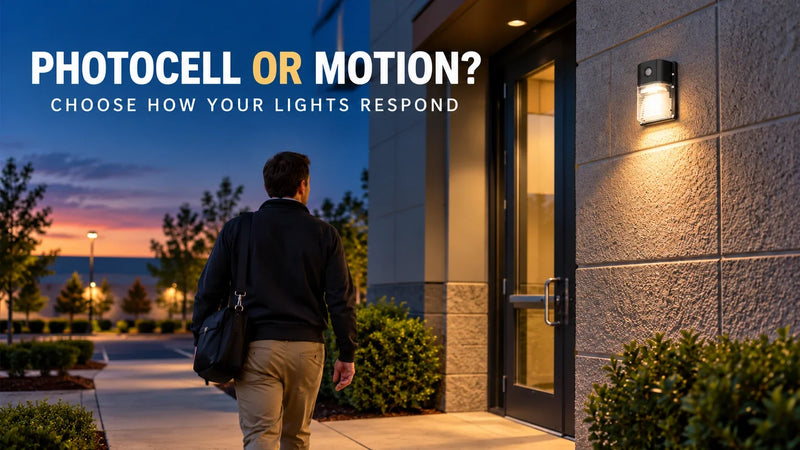
If the symptom only appears when automatic lighting starts after dark, our photocell and motion-sensor lighting guide can help you identify which control is bringing the group into operation.
For help with a GGJIA installation, send the fixture model, control model and a short description of the affected wireless equipment. Include when the symptom occurs and the result of the off/on comparison. That gives the product inquiry a clear starting point instead of replacing parts by guesswork.
Find the right light for your space.
Explore GGJIA lighting, compare your options, and get help with your next project.
JOIN THE CONVERSATION
Leave a comment
READER DISCUSSION
Discussion
No comments yet. Be the first to share your thoughts.